Introduction
You may already be using automated tools to find someone’s Google reviews by entering nothing more than an email address for investigative purposes. But do you actually know what’s happening behind the scenes, and how to do it manually?
In this article, I’ll walk you through the process step by step, showing how to start with a simple Gmail address and identify the Google reviews associated with it. By the end, you’ll have a better understanding of the underlying process and how these results can be discovered without relying entirely on automated tools.
Part 1: Understanding GAIA IDs
Before diving deeper into the manual methodology, it is important to understand what a GAIA ID is and why it can be relevant when investigating Google accounts.
GAIA stands for Google Accounts and ID Administration, a term historically associated with Google's account and identity infrastructure. A GAIA ID is a unique numeric identifier associated with a Google Account, commonly represented as a 21-digit number.
Unlike an email address which is human-readable and may change or have aliases associated with it the GAIA ID is tied to the underlying Google account. In other words, while a Gmail address identifies how an account is presented to users, the GAIA ID serves as an account level identifier within Google's systems.
This distinction can be useful from an investigative perspective. When starting with a Gmail address, the GAIA ID can provide another identifier to look for when correlating information across Google services or other publicly observable contexts where it may be exposed or indirectly discoverable.
Part 2: Finding the GAIA ID Associated With an Email Address
To grab the GAIA ID of an email, we will first need to have a sockpuppet Gmail account.
Using the sockpuppet Google account, we need to add the email address we want to investigate to https://contacts.google.com/
For your information, the target does not get notified when you add them into your Google Contacts.
For this example, we will be using the email address: sam.altman@gmail.com
PS: Sorry Sam, it's for educational purposes only! Don't ban us from ChatGPT...
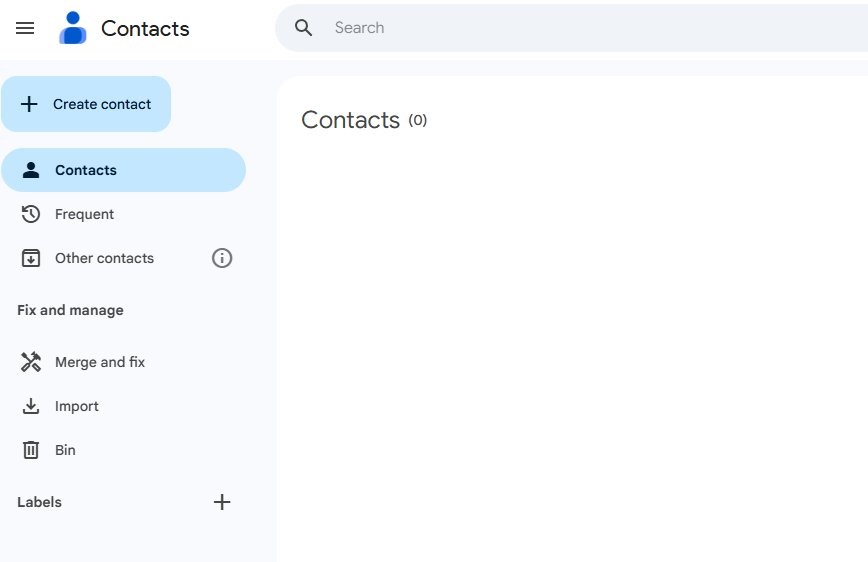
Once on the Google Contacts page, click on “Create Contact” on the top left corner:
You will get to this page:
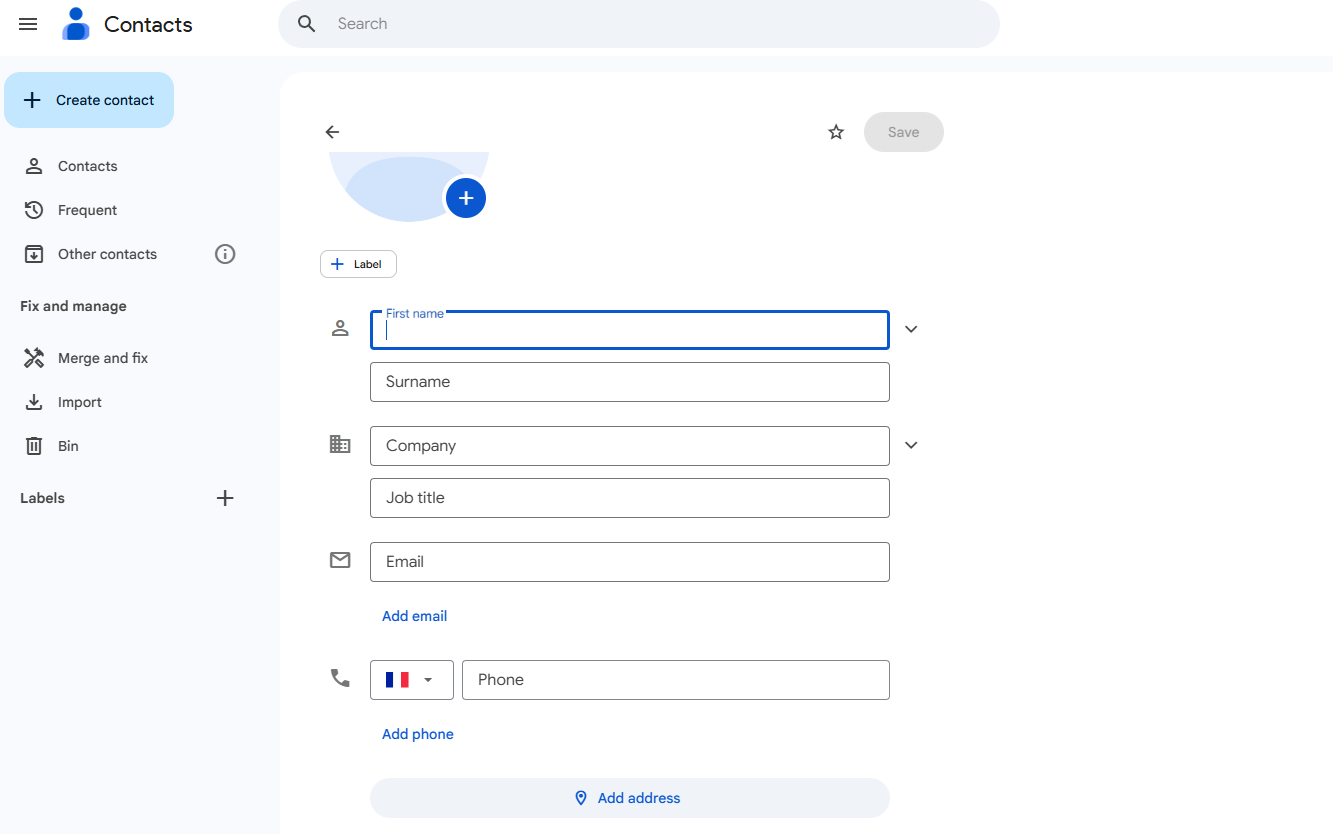
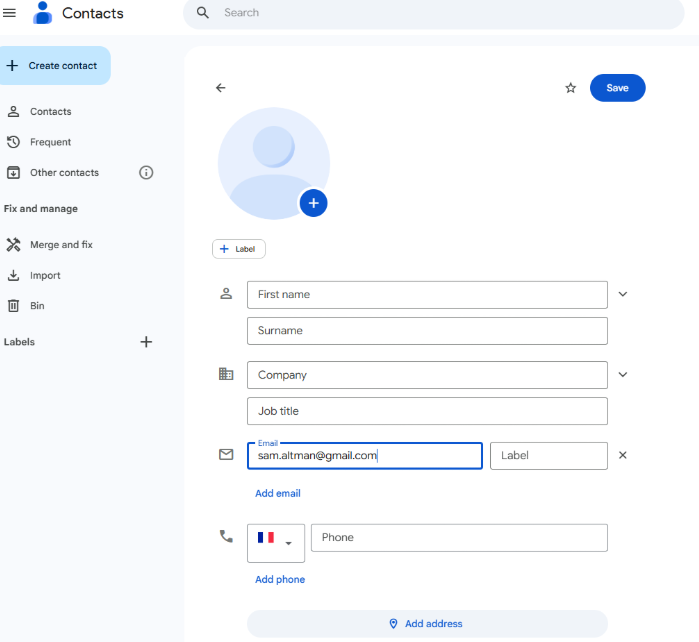
Simply add the email address you want to investigate in the Email field and click “Save”:
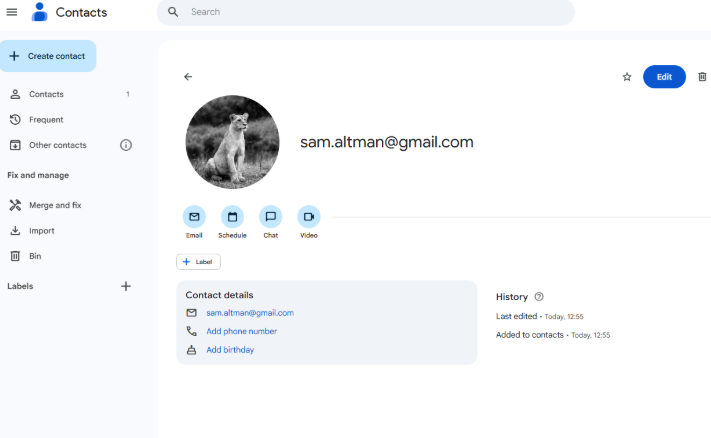
The contact will then be added:
Now in order to get the GAIA ID, we need to open developer tools. To do so, press Ctrl + Shift + C:
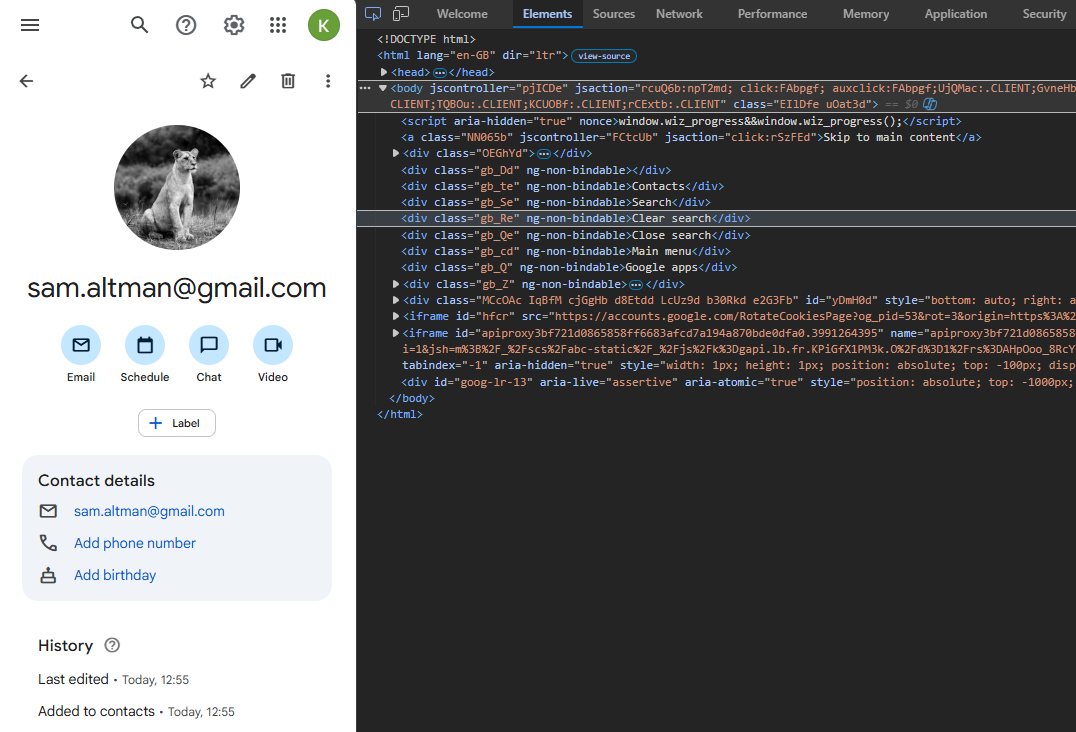
Then click on the Network tab and refresh the page by pressing Ctrl + R:
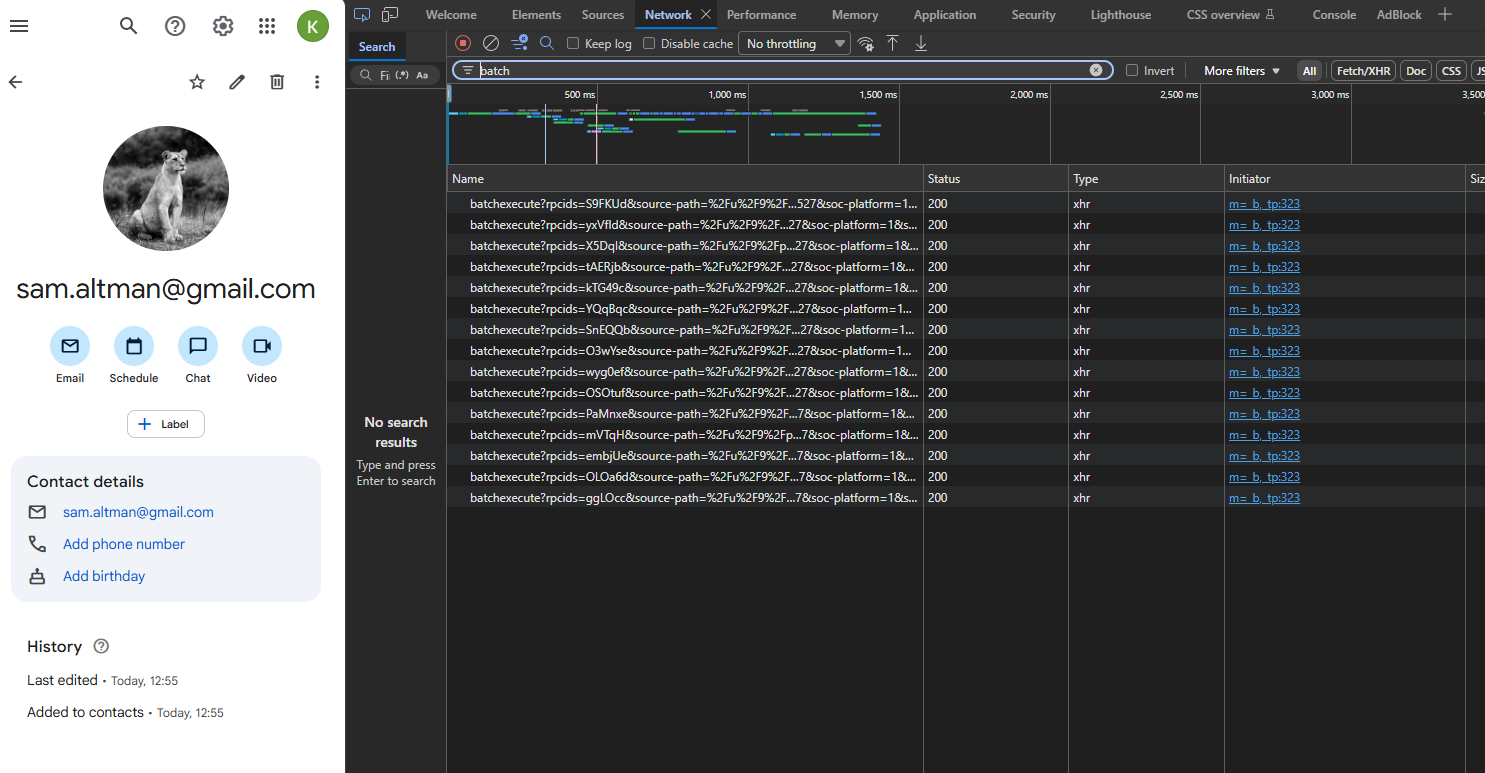
There we will find several batchexecute requests. That’s where the GAIA ID can be found.
We need to find the batch execute that contains the email address we’ve added.
To do that, we can click on one of the batchexecute requests and search for the one that contains the email with the arrows. We also need to select “Response”, in order to see it:
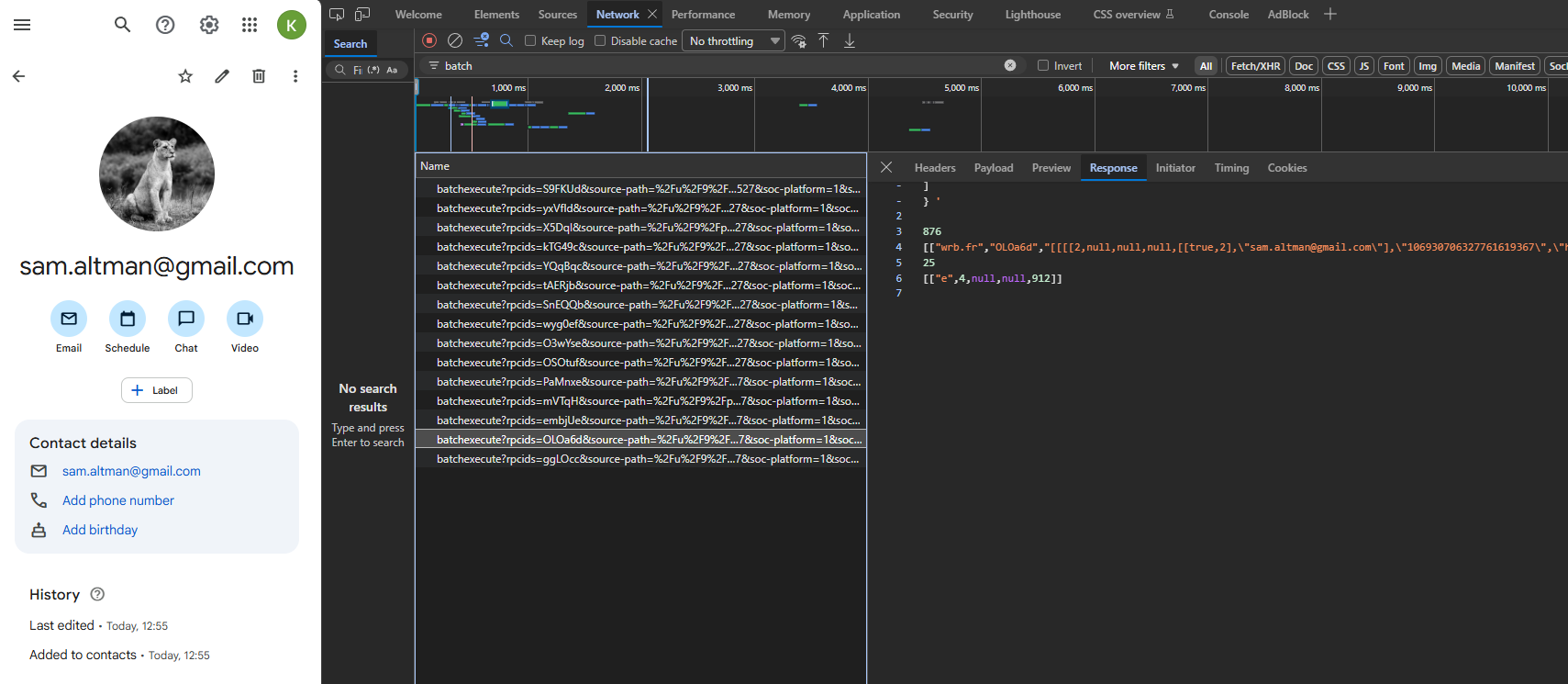
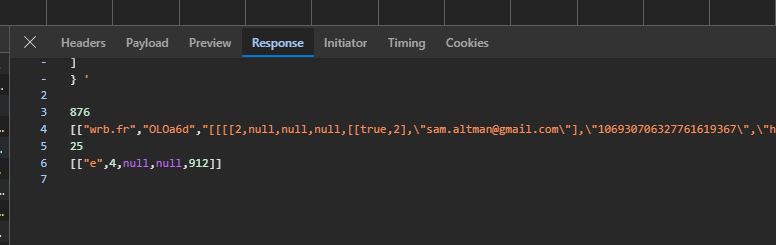
Once you find the request containing the email address, the GAIA ID is next to the email address! It’s the 21-digit code.
As you can see here:
Part 3: Using the GAIA ID to Reveal Google Reviews
Now that we’ve successfully identified the GAIA ID, we can copy it and query:
https://www.google.com/maps/contrib/<The GAIA ID>
https://www.google.com/maps/contrib/106930706327761619367
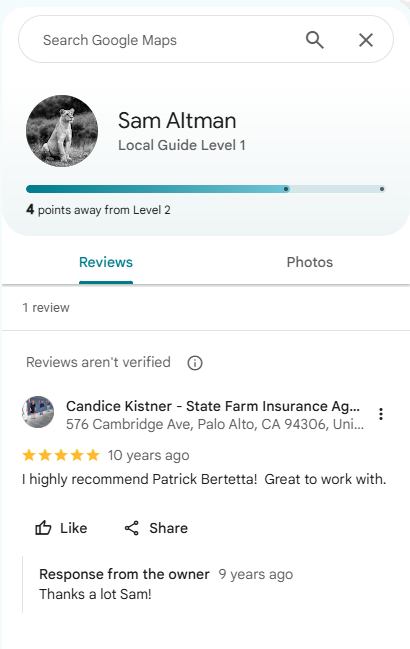
We will then be able to see all the google reviews that were left using that email address:
Conclusion
Using Automated tools is great! But what’s even better, is understanding how it actually works when done manually.
Digging through source code to uncover a subject's Google footprint takes time. It is much more efficient to automate this workflow with specialized platforms like OSINT Industries, which pull the target's GAIA ID from an email and instantly gather their Google reviews.