To find social media accounts by email, check which platforms may be associated with the address, then compare the profiles you find by name, photo and username. You can search each platform manually or use an OSINT tool such as OSINT Industries to check multiple available sources in one place. Always verify your results before deciding who owns an account.
Skip the manual steps. Run an email social media lookup in OSINT Industries.
Search nowTable of contents
- Why email is the best starting point for finding social profiles
- Platform by platform: what still works manually
- Find all social networks linked to an email with OSINT Industries
- How to confirm the accounts belong to the same person
- Nothing came back. What now?
- Case study: verifying a marketplace seller
- Legal and ethical use
- FAQs
Why email is the best starting point for finding social profiles
An email address is a useful starting point because people often reuse the same address across several online services.
Someone might use one email for Instagram, another for LinkedIn, and a third for an accommodation or travel platform. They may also use the same username or profile photo across multiple accounts. (We’re simple beings!)
For example, a seller might give you jane.doe@example.com when arranging a purchase. Searching the address could reveal a public Instagram profile or another account that helps you check whether their claims are consistent.
However, an email address does not guarantee a match. Some platforms hide account details, some people use different addresses for different services, and an account may belong to someone else who shares a similar name.
If you want to investigate an address before looking for social profiles, start with Guide 1: reverse email lookup.
Platform by platform: what still works manually
To find social media accounts by email, you can search each social network individually, but the available search options vary.
Start with public search tools, and only use account recovery or contact discovery for accounts you own or have permission to check.
Facebook search can help you find public profiles by name, username, or other useful info a person has chosen to make visible. If you already know someone's full name, combine it with a workplace, location, or other relevant public detail to narrow the results.
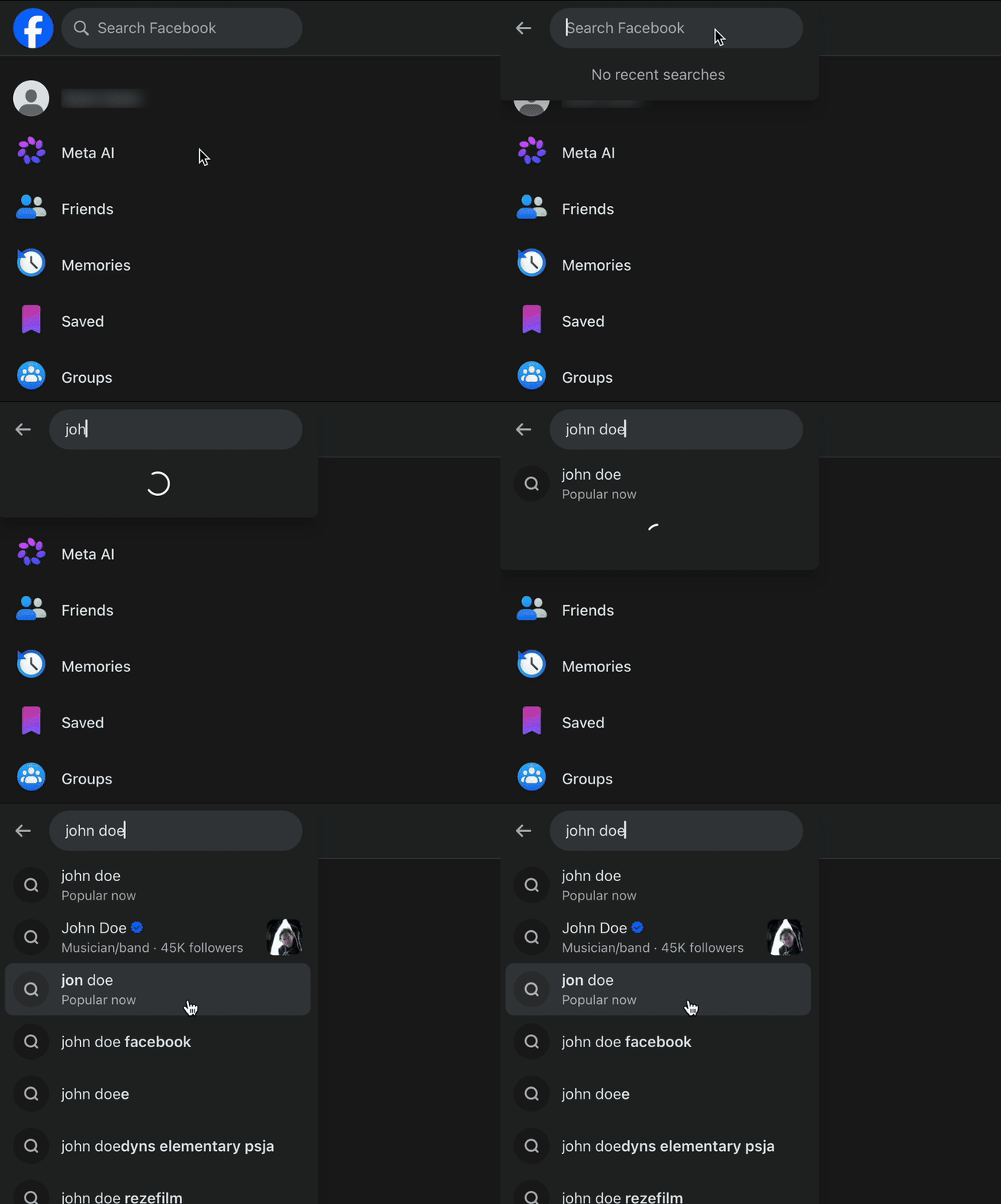
Facebook doesn’t provide a general public directory that reliably lists every account registered to an email address. If you find a profile, compare its public information with independent evidence. And remember, a matching name alone is not enough to establish ownership.
Instagram is often easier to search by username than by email. Try a known handle in the platform's search bar, or search the web for the exact username alongside the word Instagram.
Some people link their other social profiles in their bios which can help you follow a public connection to another account.

Instagram also doesn’t offer a universal public email search that reveals every profile associated with an address. Contact syncing may suggest accounts in some circumstances, depending on settings and availability, but it’s not a complete lookup method. Avoid uploading someone else's contacts to try to identify them.
X
X (formerly Twitter) lets you search for public posts, display names and usernames. If an email address contains a unique username or handle, try searching for it on X and see if any public profiles match.
You can also try searching for the exact email address on Google or another search engine by putting it in quotation marks. This might bring up public posts, websites or other pages where the address has been shared.
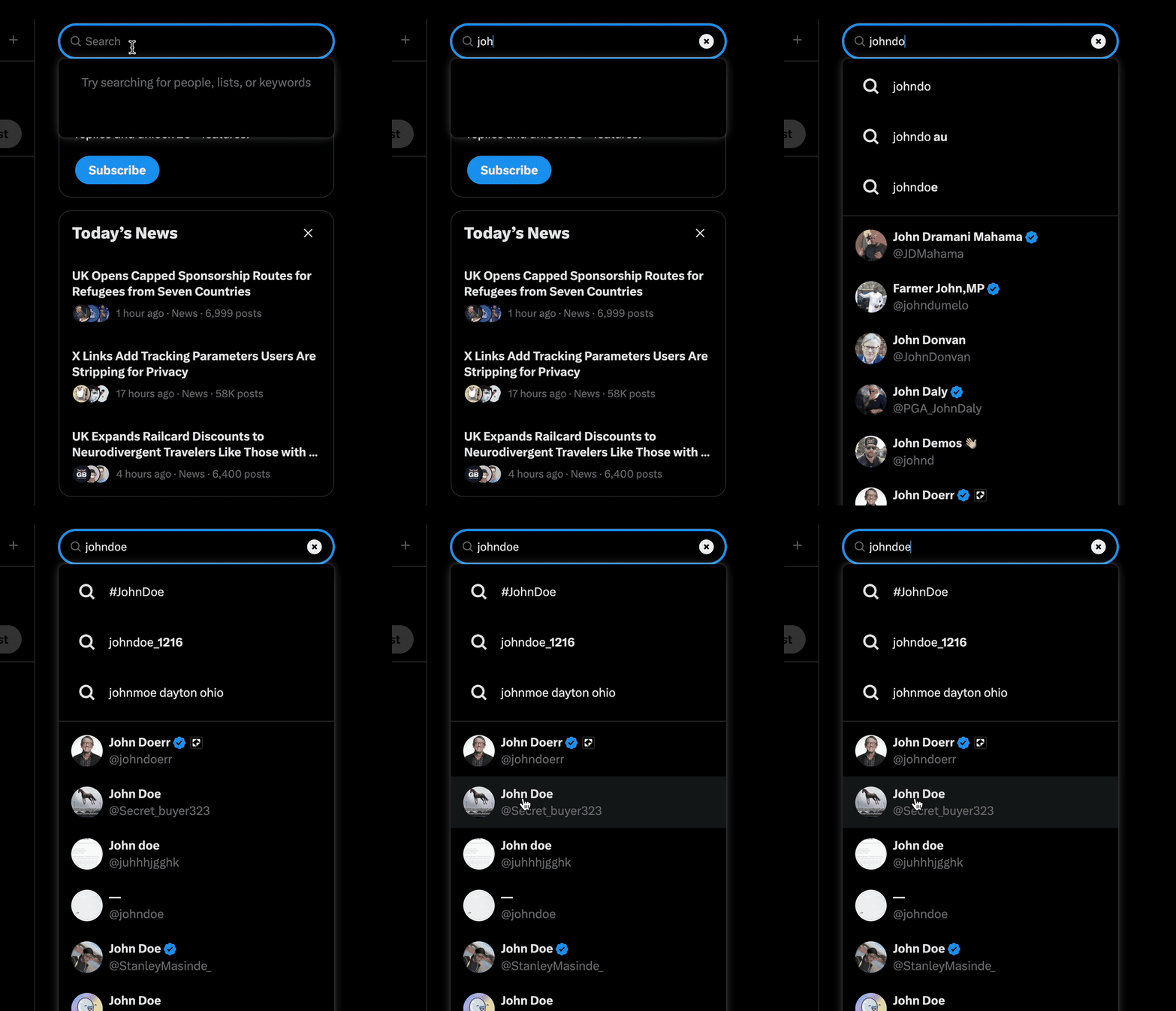
Again, X does not provide a dependable public directory of accounts by email. And remember, even if a profile uses the same username as the part before the @ symbol in an email address, that doesn’t necessarily mean it belongs to the same person.
LinkedIn is useful when you need to check someone’s claimed professional identity. You can search for their name, company, job title or any other details they’ve shared publicly.
Compare the profile with the organisation's official website and any publicly listed staff information. A consistent employment history can help you assess a claim, although profiles may be incomplete or outdated.
LinkedIn doesn’t let you search for every account linked to a particular email address, and some contact-finding features depend on your connections and account settings. So, if your search doesn’t bring up any results, it doesn’t automatically mean the person has no professional profile online.
TikTok
TikTok lets you search for public usernames, display names, and videos. If you come across a username on another platform that seems like a match, try searching for it on TikTok and see if the profile details line up.

TikTok also has features that suggest accounts based on synced contacts and other recommendations, depending on your settings. However, these features won’t reliably find an account using just an email address, and a suggested profile doesn’t necessarily mean it belongs to the person you’re looking for.
Rather than uploading someone else’s contacts to find their accounts, stick to information that’s publicly available. You can compare usernames, check profile details and look at any links the person has chosen to share.
Snapchat
Snapchat lets you find friends using their usernames or its contact-finding features. If you’re checking your own account connections, you can also look through the app’s friend-finding and privacy settings.
That said, Snapchat doesn’t have a public directory where you can look up accounts using any email address. Its account recovery process is designed to help people regain access to their own accounts, not to find out someone else’s account details.
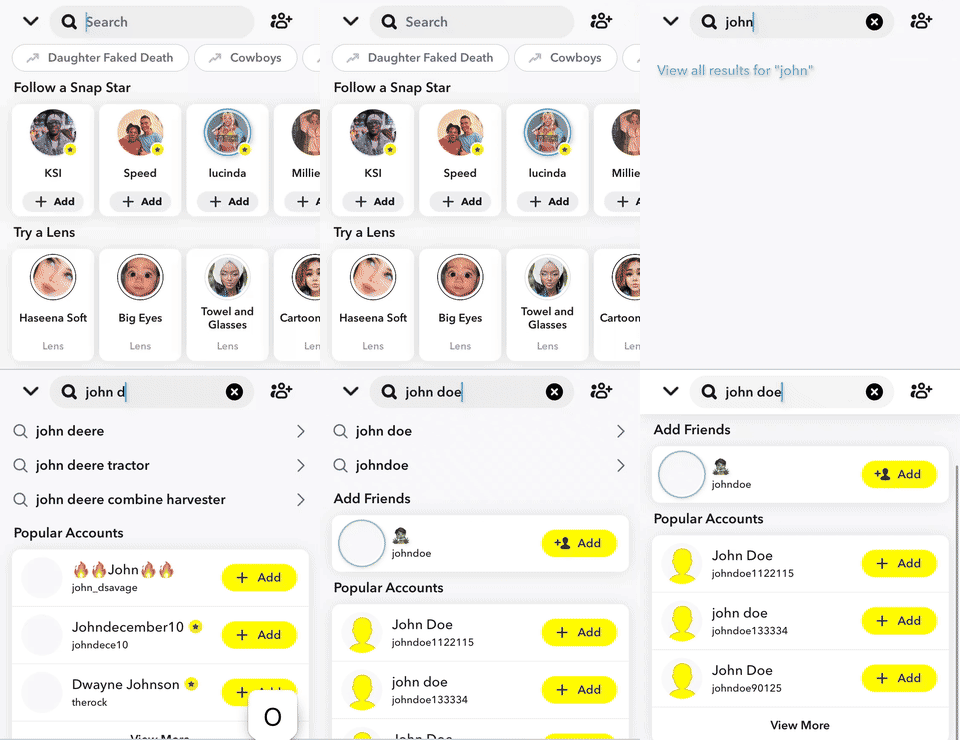
So, if nothing comes up, it doesn’t necessarily mean the person isn’t on Snapchat. They might have a private profile, use a different username, or have signed up with an email address you don’t know.
Find all social networks linked to an email with OSINT Industries
An OSINT email lookup tool like OSINT Industries can help you search multiple available sources from one starting point, although results depend on its coverage and available data.
Ready to get started? Follow these five steps:
Step 1: Open OSINT Industries
Visit OSINT Industries and sign in. Open the search interface and select the email search option.

Step 2: Enter the email address
Enter your target email address e.g. jane.doe.test@protonmail.com
Remember that fictional data may not return results so using your own email address is always a good starting point.
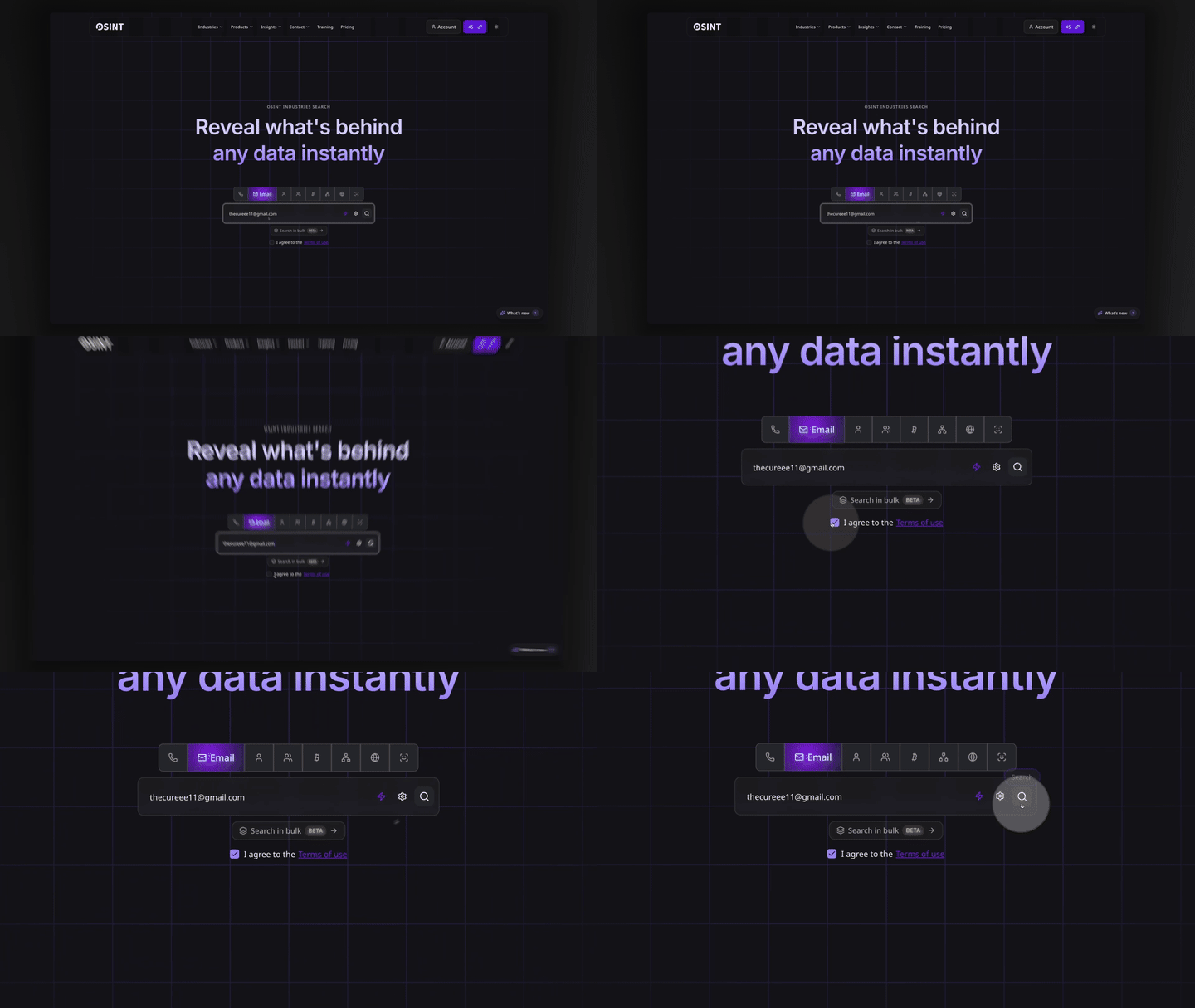
Step 3: Run the search
Once you’ve entered your target email address, hit search and wait for the results to load.
Depending on the address and the sources available, you might find linked usernames, profile pictures, location data, or other interesting information. It may also return limited results or no matches.
Step 4: Review the profiles
Go through the results and pick out any profiles that look relevant to what you’re trying to find.
Check usernames, profile names, and other details against reliable sources, and remember that just because something appears in the same search doesn’t mean it belongs to the same person.
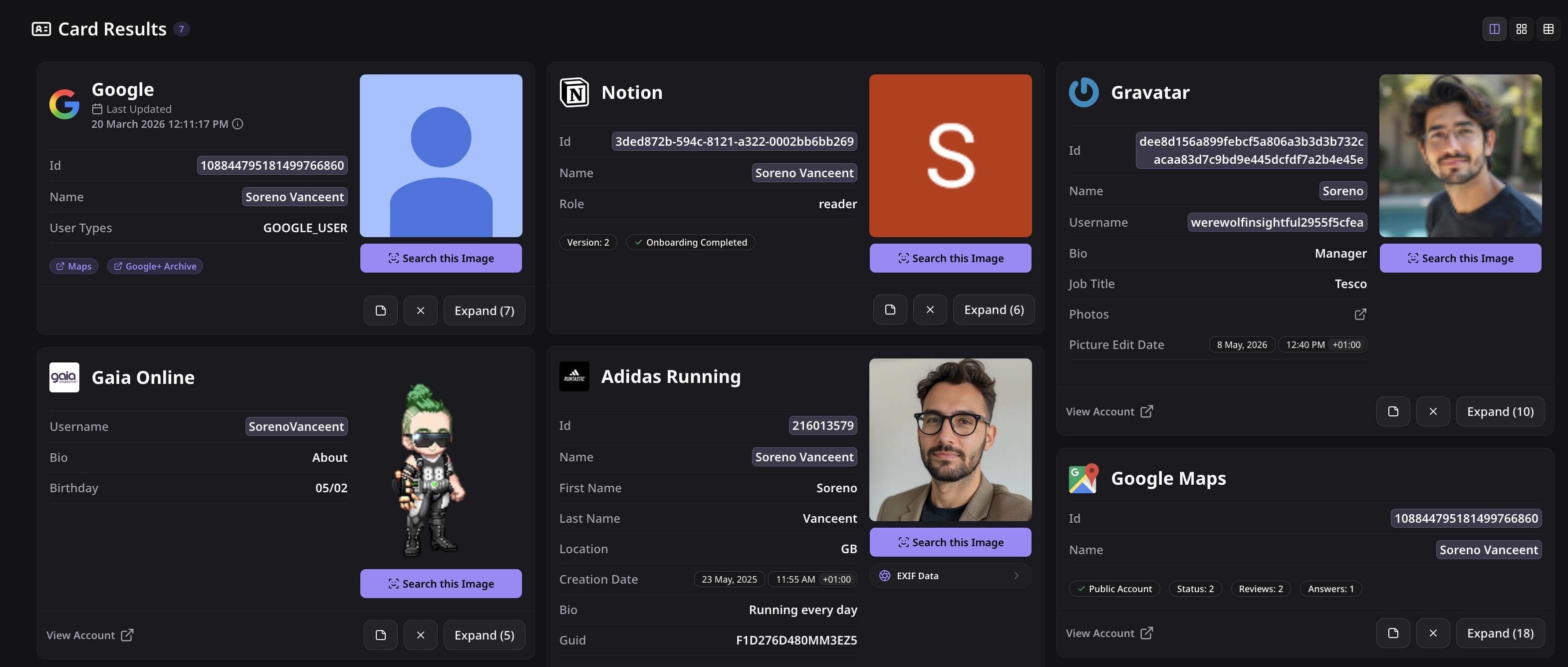
Step 5: Verify the matches
Open relevant public profiles and compare their details. Check whether the username, photo and biography are consistent with other reliable sources.
Record confirmed facts separately from possible matches. If the results do not establish a clear connection, leave the question unresolved rather than guessing.
Remember: This process can make your research more efficient, but no tool can guarantee that it will find every account.
How to confirm the accounts belong to the same person
Finding several profiles is only the first part of the job. The next step is to check whether they genuinely belong to the person you’re researching.
Here’s a few things to look out for:
- Same profile photo: The accounts use the same or a similar photo, although be mindful that images can be copied.
- Matching username: The same distinctive handle appears across profiles. Common names and generic handles provide weaker evidence.
- Consistent dates: Public account dates or post histories fit the person's claimed timeline, where this information is available.
- Cross-linked bios: One profile links directly to another, or both link to the same official website.
- Consistent public details: Job titles, interests, and other public information are consistent across profiles.
- Independent confirmation: An official website or another reliable source backs up important details.
The more independent evidence you find, the stronger the match. Two profiles sharing a photo alone isn’t enough to prove they belong to the same person.
Keep an eye out for conflicting information, too. If profiles list different jobs or locations, look into the differences rather than ignoring them. Also, remember that account creation dates aren’t always publicly available, and a new account doesn’t necessarily mean anything suspicious.
Finally, be clear about what your findings actually show. Label results as confirmed, likely match, or unverified lead where appropriate, and avoid claiming an account belongs to someone unless the evidence supports that conclusion.
Nothing came back. What now?
A failed search doesn’t mean someone has no social media accounts. Try a few alternative approaches before deciding there’s nothing useful to find...
Try email aliases
People often use different emails for personal, work, and social accounts. If you have a legitimate reason to check another address, search it separately and verify any matches.
Search the username
The part before the @ may also be used as a social media handle. For example, jane.doe.test might appear on Instagram or a public forum. Search the exact username and compare any likely matches.
See our guide on username lookup for more details.
Check a known phone number
If you’re authorised to use the number, some platforms offer contact discovery, depending on their settings and policies.
Keep in mind that numbers can be recycled or shared, so a match isn’t proof of identity.
Check out guide phone number lookup for next steps.
Return to the wider OSINT process
Keep your investigation focused. If you’re unable to establish a reliable link, record that result and stop rather than collecting unrelated personal information.
For a broader framework, take a look at Guide 8: the OSINT guide.
Case study: verifying a marketplace seller
The following example is fictional. The seller, email address, and account details are all fictional. No real people were investigated, and no dodgy sellers were harmed in the making of this guide.
The initial concern
Jake has spotted a second-hand camera from a marketplace seller called Nancy Smith. The seller provides the email nancy.smith@example.com and shares a public Instagram profile.
Before handing over his hard-earned cash, Jake wants to check whether the seller's public identity appears legit and the camera actually exists.
The search
Jake searches the email address and reviews the public information available through a reverse email lookup workflow.
In this fictional scenario, the results point to an Instagram account. Jake also finds a public Strava profile and an Airbnb host profile using the same distinctive name and photograph.
These results provide possible connections, but Jake is careful to not treat them as proof just yet.
The verification
Jake takes a closer look at the profiles. The Instagram account links to a public photography page, which links back to the same Instagram account. (Nice little digital paper trail.)
The Strava profile uses the same name and photo, with a public activity history that fits the information on the photography page. The Airbnb profile also has matching details.
Jake notes these connections and checks that the information is consistent across the accounts. He sticks to public information and leaves private accounts alone.
The outcome
The evidence suggests that the profiles are connected and present a consistent public identity. That gives Jake more confidence, but it doesn’t prove the camera exists or guarantee the seller is trustworthy. Even a convincing online presence can be misleading.
So, Jake does a few sensible checks before buying. He reviews the marketplace’s buyer protection, keeps payment on the platform, and asks for suitable evidence of the camera’s condition. And hurrah, it all checks out!
The takeaway: Checking public profiles can help you spot inconsistencies and build confidence, but it isn’t a magic scam detector and cannot eliminate every risk.
Legal and ethical use
Looking up social media accounts by email is not automatically illegal. It all depends on the purpose of the search, the information collected, and how you use it.
If UK data protection law applies, public profile information may still count as personal data. The Information Commissioner's Office guidance on lawful basis explains how organisations should assess the legal basis for processing personal data.
Here’s a few things to keep in mind:
- Have a good reason. Checking a suspicious seller, verifying a business contact or reviewing your own online presence are examples of legitimate purposes.
- Don’t collect more than you need. You probably don’t need someone’s entire digital life just to check whether a profile looks genuine.
- Respect people’s privacy. Don’t bypass privacy settings, impersonate someone or use their account recovery process to uncover private details.
- Play by the platform’s rules. Avoid unauthorised scraping, harvesting contacts or trying to get around access restrictions.
- Check before jumping to conclusions. Similar usernames and profile photos can be misleading, so make sure the evidence actually supports your findings.
- Keep your findings secure. Store notes safely, limit who can access them and don’t publish personal information that hasn’t been verified.
If you’re carrying out checks for a business, make sure you follow its policies and get legal advice if you’re unsure about your obligations.
Important Note: This is general information, not legal advice. The rules can vary depending on your circumstances and how the information is used.
FAQs
Can you find someone's Instagram by email?
Sometimes yes, but there’s no guarantee. Try searching the exact email address online or using an OSINT lookup tool like OSINT Industries to check for publicly available account references. Instagram doesn’t offer a public directory that lets you find every profile linked to an email address.
Can you search Facebook by email address?
You can search Facebook for public profiles using names and other visible details, but finding an account by email isn’t always possible. If you’re trying to recover an account, stick to the official recovery process for your own account rather than using it to uncover someone else’s details.
How do I find all accounts linked to my own email?
Start by searching your email address online, checking Have I Been Pwned, reviewing your password manager, and checking the account settings of services you use. An OSINT lookup tool might uncover other public references, but there’s no foolproof way to find every account linked to your email.
Is it legal to look up someone's social media by email?
It can be, provided you have a legitimate reason and follow the relevant privacy laws and platform rules. Remember, publicly available information can still count as personal data. Avoid bypassing privacy settings, collecting information you don’t need or using your findings to harass someone.
Every platform linked to an email, in one search.
Start Here