A username search checks which websites and apps use a particular handle. Because people reuse usernames, one handle can lead to profiles, photos, emails and locations across many platforms. Free finders show where a username exists; OSINT tools such as OSINT Industries also return the profile details behind each account.
Skip the manual steps. Run a username lookup in OSINT Industries.
Search NowTable of contents
- Why usernames are an investigator's best pivot
- Free username finders and their limits
- Username lookup with OSINT Industries
- Building a profile from a username
- Email to username and back
- Name searches: when you only have a name
- Case study: tracing a marketplace scammer
- Legal and ethical use
- FAQs
Why usernames are an investigator's best pivot
People choose usernames to represent themselves online. Some use their real names, while others prefer nicknames, favourite characters, gaming references, or random combinations of letters and numbers.
Many reuse the same handle across different platforms, sometimes with slight variations. For investigators, this creates an opportunity to uncover potential connections.
For example, finding the username jdoe92 on a marketplace could lead to the same handle on a gaming profile or public forum. These accounts may reveal useful clues, such as profile pictures, biographies, locations or contact details, helping you assess whether they belong to the same person.
A single username can therefore open the door to a wider investigation, providing a useful starting point for identifying potential links across platforms.
Look for variations, not just exact matches
Searching for one exact username is a good start, but don't stop there. People often tweak their handles to suit different platforms or get around usernames that are already taken.
For example, if you're looking for jdoe, try a few variations like the fictional examples below:
These variations are useful leads, but don't jump to conclusions. The 92 might be a birth year, a lucky number, or something completely random. A similar handle might belong to someone else.
Start with the exact handle, then get creative with sensible variations. Keep track of what you've searched and separate confirmed matches from possible connections.
Free username finders and their limits
A free username lookup can take some of the legwork out of an investigation. Simply enter a handle and they'll check a range of websites to see where it might appear.
They're great for initial discovery, but there’s a few things to watch out for. Not every tool checks the same websites, and a reported match doesn't automatically mean an account exists or belongs to the person you're researching.
Let's look at three tools worth having in your OSINT toolkit.
Sherlock
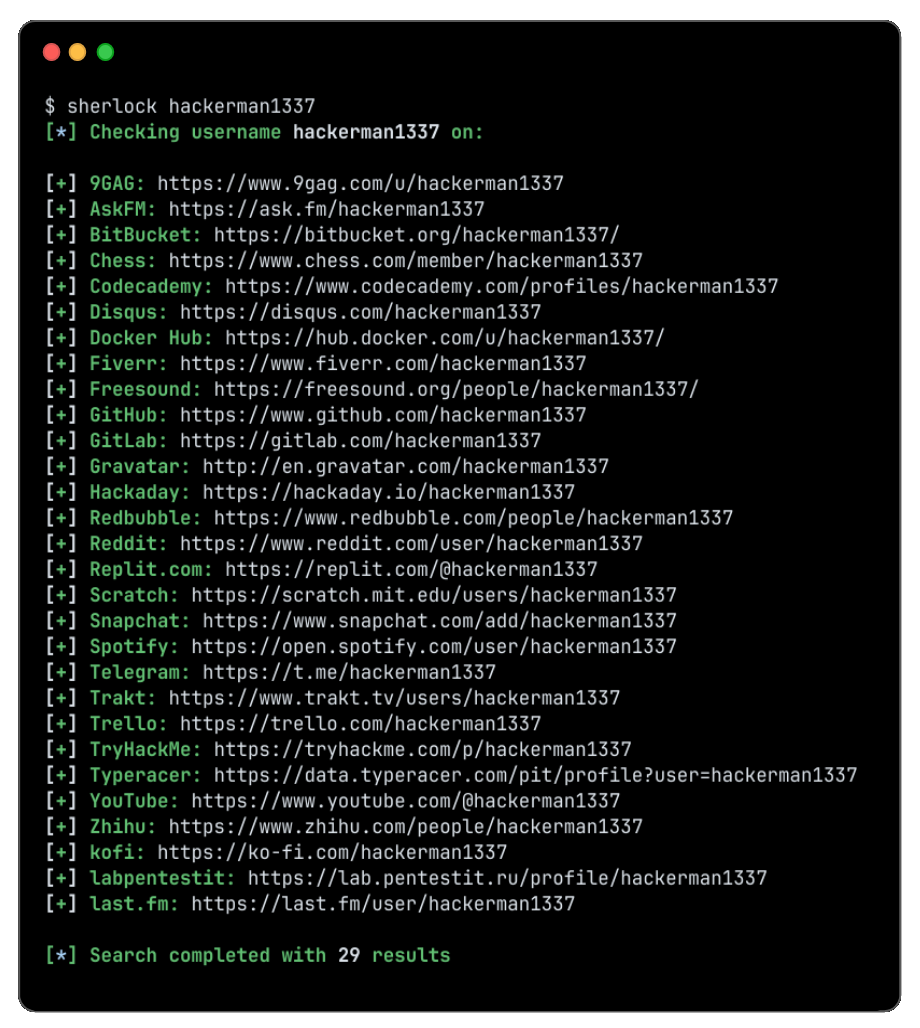
Sherlock is an open-source command-line username search tool that searches supported websites for a particular username and returns possible profile links.
It's handy if you want to run a broad search from your own computer, and if you're comfortable with a bit of technical tinkering, you can also explore its results and adapt your workflow.
However, it does have limitations:
- A result may be a false positive if a website displays a page for an unavailable username.
- A missing result does not prove that an account does not exist.
- Coverage depends on the websites and checks supported by the version you use.
- It does not automatically establish who controls a profile.
Think of Sherlock as a way to uncover potential leads, not a tool that does the investigation for you. You'll still need to check the results yourself.
WhatsMyName
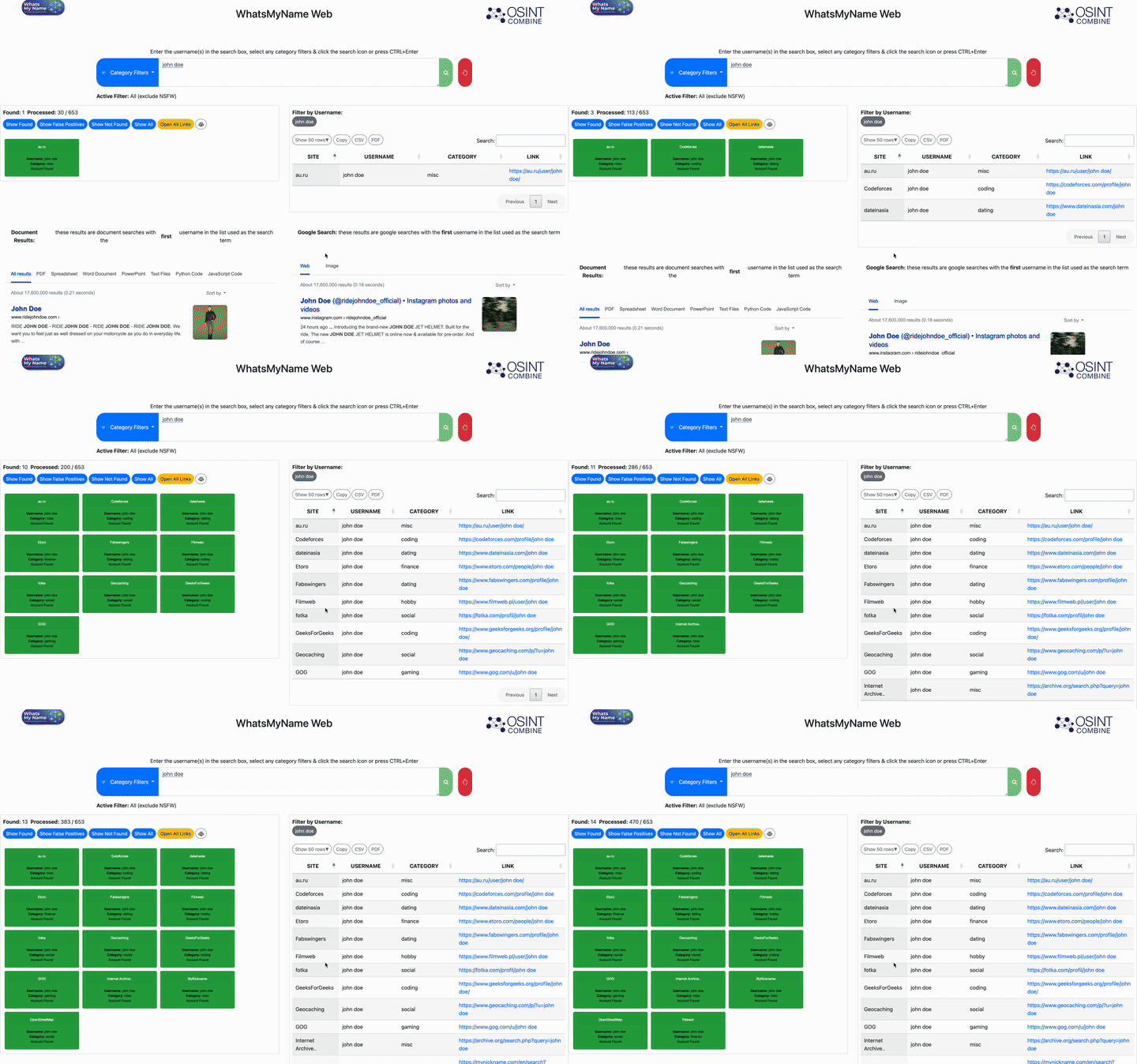
WhatsMyName is another useful username enumeration resource that checks handles against supported websites and helps identify possible profile locations.
It's particularly handy when you want to look beyond the usual social media platforms. However, websites are constantly changing how they display profiles and respond to automated searches. This means some results can be outdated or incorrect.
As always, follow up on interesting matches. Open the actual profile and look for details that help connect it to your subject.
Namechk
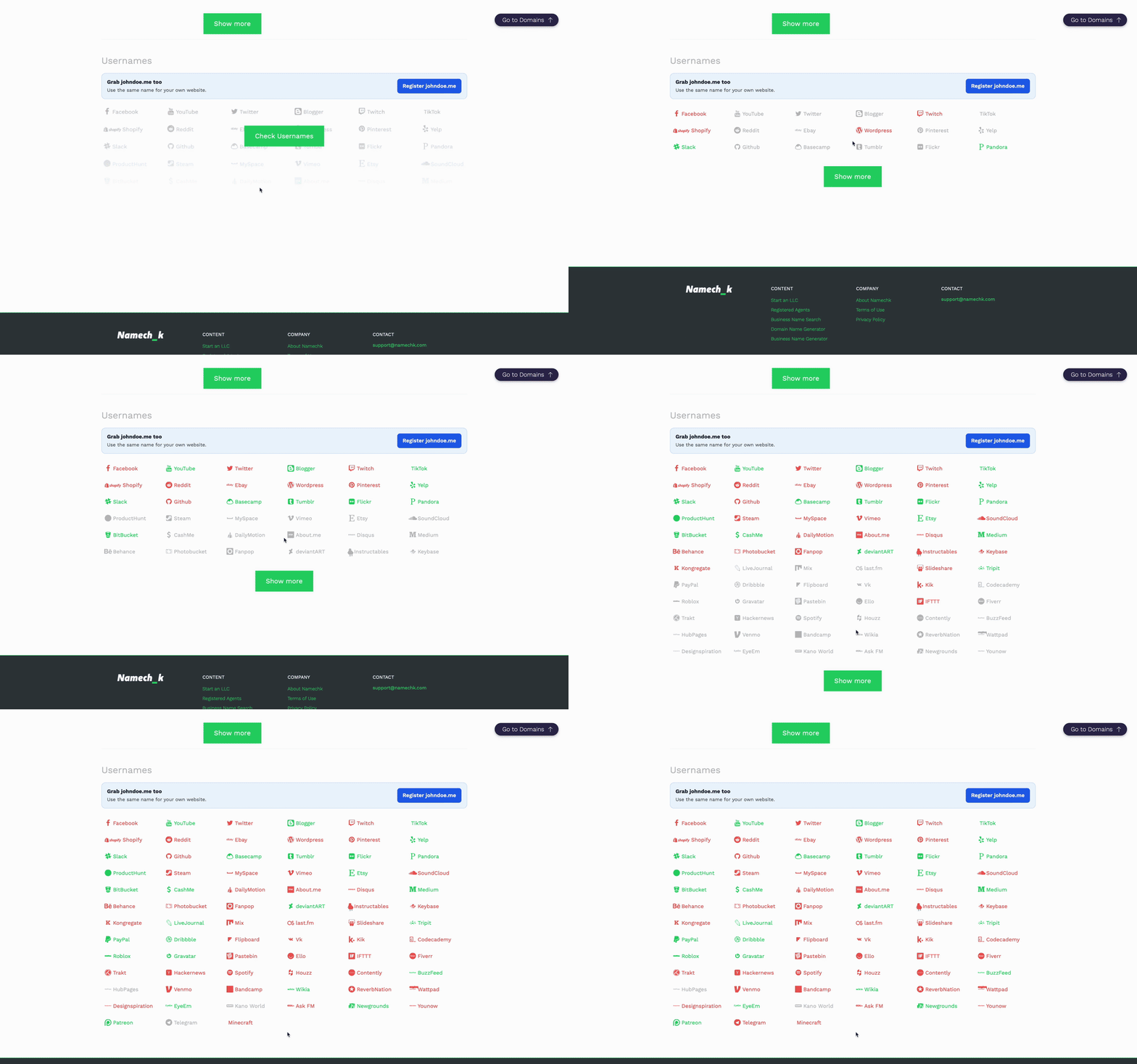
Namechk takes a slightly different approach. It focuses on checking whether a username is already in use across websites and social platforms.
It's especially useful if you're choosing a username for your own brand or project and want to see what's available.
For investigators, it's worth understanding the distinction: finding that jdoe92 appears to be registered on a platform doesn't tell you who runs the account or whether it's connected to other profiles.
What free username finders cannot tell you
Whilst username finders might help answer “where might this handle exist?”, they generally can’t tell you:
- Who is behind an account.
- Whether a profile is still active.
- Whether it belongs to the person you're researching.
- Which other usernames might be connected.
- Whether the information is up to date.
False positives are another problem. Some websites display generic pages for unavailable usernames, while others redirect visitors to login screens or standard profiles.
A tool can mistake these responses for genuine matches. Equally, an account might have been deleted, renamed or abandoned, even if an old profile link still appears in the results.
The takeaway: Use free username finders to build an initial list. cast your net and build an initial list of leads. Then verify the strongest leads using public information and a wider OSINT workflow.
Username lookup with OSINT Industries
A username search becomes much more useful when you can dig into the information behind a result.
OSINT Industries offers an investigative search workflow that helps you explore information linked to an identifier. Rather than simply collecting matching websites, you can use the results to uncover and follow up on potential leads.
What you find will depend on the username, available data, and the platform's current features, so don't expect every search to return the same information.
How to search a username in OSINT Industries
Follow these five steps to investigate a handle:
Step 1: Start with the exact username
Open OSINT Industries and select the username search option.
Enter the handle exactly as you've found it, including any punctuation, underscores or numbers. Double-check the spelling before hitting search.
Step 2: Review the available results
Submit your search and see what comes back.
Look for profile links and other details that might help you learn more about the account. Depending on the available data, you may find useful clues to follow up.
Just remember: a matching username isn't proof that you've found the right person.
Step 3: Identify useful profile clues
Now it's time to look a little closer.
Check profile pictures, avatars, display names, biographies, and public contact details. Shared images or distinctive profile information could help connect accounts across different platforms.
Make a note of anything interesting, including where and when you found it.
Step 4: Cross-check your findings
Found a promising profile? Don't stop there. Compare it with what you already know. Does the display name match? Is the same profile picture used elsewhere? Do public posts mention similar interests or other relevant details?
Try searching for any newly discovered usernames too. A person may use different handles on different platforms.
Treat potential connections as leads until independent evidence supports them.
Step 5: Record and verify your findings
Keep a record of what you’ve found.
Include the username, platform, profile URL, relevant details, date checked and your confidence in the match.
If you can't verify a connection, mark it as unconfirmed.
Remember: The aim isn't to collect as many profiles as possible. It's to find useful, defensible connections. A handful of well-supported findings is far more valuable than a long list of unverified accounts.
Building a profile from a username
Finding a profile is just the start. The real detective work is figuring out what its public information can actually tell you.
Avatars and profile images
Profile pictures can help link accounts across different platforms.
Look for the same photo, logo, illustration, or distinctive crop. A matching image can be a useful clue, especially when other details line up.
But don't jump to conclusions. Images can be copied, shared or reused. A scammer could be using someone else's photo, or two unrelated users might simply have the same popular avatar.
Bios and descriptions
A profile bio can reveal useful details, including someone's interests, profession, location, or personal website.
Look for unusual phrases or specific details that appear on other accounts. These are much more useful than generic statements such as "music lover" or "football fan".
Note the exact wording and where you found it. Don't turn a vague description into a definite identity claim.
Time zones and posting patterns
When someone posts can sometimes tell you a little about their online habits.
Regular activity at certain times might help you spot similarities between accounts. But don't assume posting times reveal someone's location. People travel, schedule posts, and live in different time zones.
Treat timing as supporting context only.
Writing style
Everyone has their own writing quirks.
Look for repeated phrases, unusual spelling, favourite punctuation (e.g. lovers of the exclamation mark!), or distinctive ways of describing things.
However, remember whilst similar writing habits might suggest a connection between accounts, they're not proof. People can imitate others or change their style depending on the platform.
The golden rule: Don't rely on one clue. Combine several independent details to build a stronger, more reliable picture.
Email to username and back
A username and an email address can sometimes offer clues about each other. People often reuse familiar usernames when creating email addresses, so one can be a useful starting point for finding the other.
For example, someone using jdoe92 on a forum might use a similar name in their email address.
The part before the @ symbol is called the local part of the email address. It might look familiar, but don't assume it will always match a username.
Here’s a few fictional examples:
- jdoe92@example.com → jdoe92
- jane.doe@example.com → janedoe or jane.doe
- thejdoe@example.com → thejdoe
- jdoe_contact@example.com → jdoe_contact
These are potential search terms, not confirmed links between accounts.
Already have an email address? You can use it as a starting point for a reverse email lookup, which may uncover other public information or useful identifiers.
Check out our reverse email lookup guide for a step-by-step walkthrough.
And remember, it works both ways. A username might suggest a likely email format, but that doesn't mean the address actually exists or belongs to that person.
Keep these three things in mind:
- A username that resembles an email address is a clue.
- An email address listed publicly is a piece of evidence.
- A confirmed connection needs reliable supporting information.
Name searches: when you only have a name
Not everyone starts with a username. Sometimes, all you've got is a person's name. In this situation, a name search can be another useful starting point.
OSINT Industries includes name-search functionality, allowing you to explore information linked to a name and uncover potential leads.
Common names however can make things tricky. A search for "John Smith", for example, could bring up dozens of unrelated people (not exactly a detective’s dream!)
To narrow things down, add any extra details you already know. A city, professional role, or known username can help you distinguish between potential matches.
Most importantly, don't assume a result belongs to the person you're researching just because the name matches. Compare several details and, where possible, check the original sources before drawing conclusions.
Starting with something other than a name? Check out our other guides:
- Have an email address? Read Guide 1: Reverse email lookup.
- Have a phone number? Take a look at our phone number lookup guide.
Case study: tracing a marketplace scammer
This case study shows how a single username can lead to several public profiles and help build a bigger picture. It’s an illustrative investigation however, so there’s no real person or guaranteed treasure trove of results!
The starting point
An investigator is looking into a suspected marketplace scam.
A seller named Xavier has listed a games console for sale. The account uses the handle pixel_xaviertest92. A buyer has already paid a deposit, but there's a problem: Xavier has gone quiet and isn't responding to messages.
The investigator starts by recording the basics:
- The marketplace profile and exact username.
- The listing date.
- The item description.
Nothing too exciting yet, but it's a starting point.
Finding other accounts
A username search reveals possible uses of pixel_xaviertest92 on a gaming site and a discussion forum.
A closer look turns up a few interesting details:
- The gaming profile: Uses the exact same unusual username and a matching avatar. Its bio also mentions a particular console model.
- The forum profile: Uses a slightly different handle, pixelxaviertest92, and includes a public post about selling gaming equipment.
Could these accounts belong to the same person? Possibly. But don't get carried away. Avatars can be copied, and similar usernames don't automatically mean two accounts have the same owner.
For now, they're useful leads worth investigating.
Developing an email lead
Things get a little more interesting when the forum profile reveals a publicly visible contact email address. The part before the @ symbol looks similar to the username.
The investigator records the address and the page where it appeared, but doesn’t automatically assume it belongs to the marketplace seller.
A separate search using the available identifier turns up information that appears consistent with the other public profiles.
Now it's time to compare the details: names, images, and account information. The investigator also notes which findings have come from independent sources and which may repeat information copied from another profile.
Assessing the evidence
There are now several pieces of information to assess:
- A marketplace account using pixel_xaviertest92.
- A gaming profile with the same handle and a similar avatar.
- A forum profile with a slightly different username.
- A publicly listed email address that resembles the handle.
Together, these clues suggest a possible connection between the accounts. However, they don't establish Xavier's legal identity or prove who controlled each account when the scam allegedly happened.
The investigator saves relevant URLs, dates and screenshots, then passes the findings to the appropriate marketplace reporting process.
The takeaway: A username can be a surprisingly useful starting point when investigating suspicious online activity. One profile might lead to another, and each new discovery can provide another piece of the puzzle.
But remember a lead isn't proof, and a collection of similar details doesn't automatically confirm someone's identity.
Legal and ethical use
Username searches can turn up personal information, so it's important to think about how you use it. Always have a legitimate reason for investigating someone and treat anything you find with care.
In the UK, data protection laws may apply when you collect, store or use information that identifies an individual. Exactly which rules apply depends on what you're doing and why.
Before you start, ask yourself a few questions:
- Purpose: Can you explain why the search is necessary?
- Lawful basis: If UK GDPR applies, have you identified an appropriate lawful basis?
- Proportionality: Are you collecting only information relevant to your purpose?
- Accuracy: Have you checked that results relate to the right person?
- Security: Are you storing findings securely and limiting access?
- Retention: Do you have a reason to keep the information, and for how long?
One more important rule that goes without saying: Don't use username searches to harass, threaten, stalk, or expose anyone. And never try to break into private accounts, bypass security controls, or trick people into handing over information.
Want to understand the legal side in more detail? Take a look at the Information Commissioner's Office guide to lawful bases.
Frequently asked questions
How do I find someone's username?
Start with what you already know, such as their name, email address or public profiles. Search exact usernames across other platforms using a username finder or OSINT tool like OSINT Industries. Try common variations with numbers, underscores or punctuation, and always verify potential matches.
Can you find an email from a username?
Sometimes. A public profile might list an email address, or the username might resemble the part before the @ symbol. However, a username alone won't reliably reveal someone's email address.
What is the best username finder?
It depends on what you're looking for:
- Sherlock and WhatsMyName: Find possible accounts across supported websites.
- Namechk: Check username availability.
- OSINT Industries: Explore information linked to an identifier and uncover further leads.
No tool covers every website or guarantees a match.
Is username searching legal?
Searching public usernames isn't automatically unlawful, but how you use the information matters. Data protection and privacy laws may apply when handling personal information.
Always have a legitimate purpose, follow relevant legal requirements, and avoid harassment, unauthorised access or misuse. When in doubt, seek advice relevant to your circumstances.
Turn a username into a full profile. Search it in OSINT Industries.
Start Searching